Cartoonify: AI Photo Editor
AykonuArt & Design
5.03.00 Reviews
- Version
- 1.0.2
- Installs
- 10.00K
- Age Rating
- Everyone
Screenshots
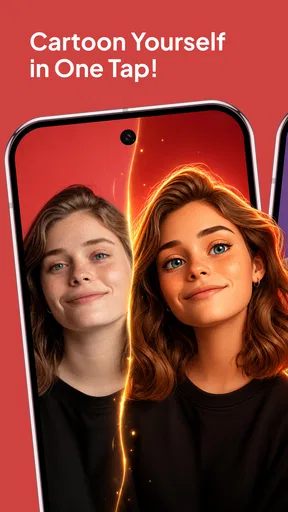
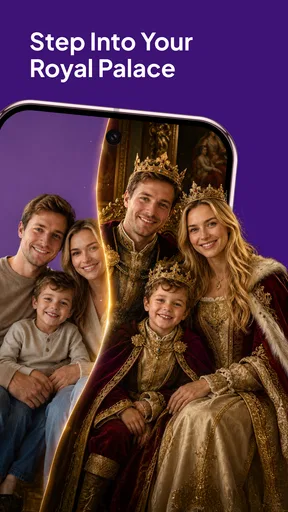
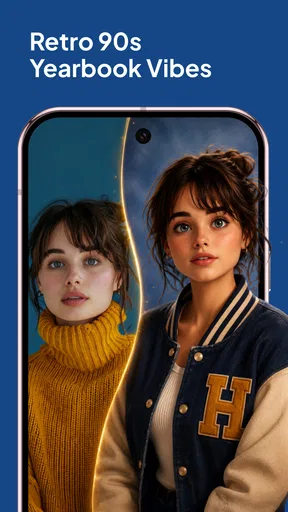

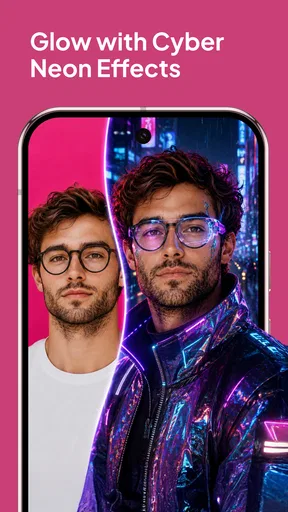
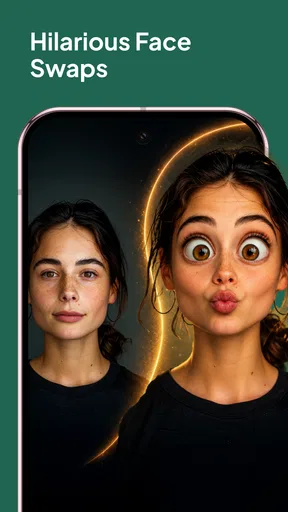
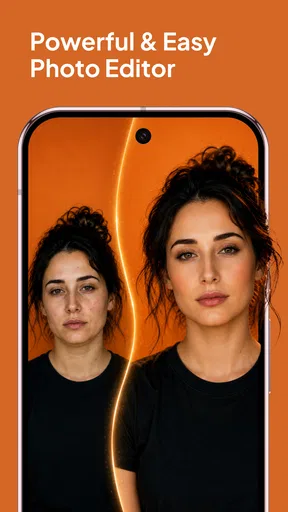
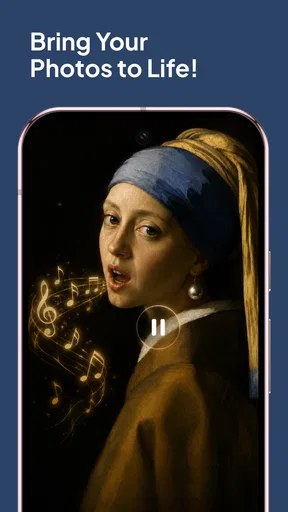
Our Review of Cartoonify: AI Photo Editor
 Analysis by Appyee
I approached Cartoonify: AI Photo Editor as a quick creative tool rather than a full image-editing studio. Its appeal is easy to understand: take an ordinary photo, turn it into a 3D cartoon-style image, experiment with face swaps, and use smart AI effects without needing to learn a complicated editing workflow. After spending time with it, I think it is best suited to casual visual experiments, profile-picture ideas, and small social projects where the fun result matters more than precise control.
The app comes from Aykonu and sits in the Art & Design category. It is free to install, rated for Everyone, and currently carries version 1.0.2. The app has passed the early discovery stage with over ten thousand installs, which gives it some visibility without making it feel like an established professional standard. The important question is whether its simple concept fits your habits. For me, the answer is yes if you want quick transformations, but only with realistic expectations about AI editing and mobile-device limits.
How Cartoonify feels during everyday editing
The first thing I noticed is that the app’s purpose is immediately understandable. You do not need to begin by building layers, choosing a canvas, or adjusting a long list of technical settings. The focus is on starting with a photo and exploring a different visual identity for it. That makes the experience more approachable than traditional editors, especially for someone who wants an attractive result without studying retouching tools.
A useful everyday scenario is preparing a new avatar. I can imagine taking a well-lit selfie, trying the cartoon treatment, comparing it with a face-swap idea, and saving the version that feels most distinctive. The same workflow can work for a group chat image, a playful birthday post, or a quick illustration for a personal project. The app is more interesting when treated as a source of variations than as a machine that should reproduce a perfect artistic brief every time.
The practical strength is the short distance between an idea and a shareable experiment. That matters on a phone, where I usually want to make a decision in a few minutes rather than manage a detailed production process. The trade-off is that convenience can also mean less control. If your goal is exact facial retouching, carefully painted edges, or a consistent visual identity across many images, a conventional editor or a dedicated design application will probably serve you better.
What to expect from AI processing
AI photo effects are not the same as ordinary filters. They need to interpret faces, hair, clothing, lighting, and the surrounding image before producing a new version. In practice, that means a clean portrait is a better starting point than a dark, crowded, or heavily obstructed photo. I would choose an image with one obvious subject, a reasonably visible face, and enough contrast for the app to understand the main shapes.
This is also where patience becomes part of the experience. A simple adjustment in a standard editor normally feels immediate, while an AI transformation may take longer because the image is being generated or analyzed. I would not judge the app by the speed of a basic filter alone. The more meaningful test is whether the result arrives promptly enough for casual use and whether the app remains usable when I try several ideas in succession.
For a smoother session, I would prepare a small selection of photos before opening the editor instead of repeatedly searching through the gallery between attempts. I would also avoid beginning with the most important image in my collection. Test a disposable copy first, see how the face and background are interpreted, and then spend time refining the image that has the best potential. This workflow reduces disappointment and makes the app feel faster because fewer attempts are wasted.
Where the app may feel demanding
The heavier moments are likely to come when an image requires more than a simple visual treatment. Face swaps and smart AI tools involve more interpretation than a basic color overlay, so they are the parts I would expect to place the greatest demand on the phone and the editing session. Working through several high-resolution photos in a row can also feel more demanding than making one quick cartoon portrait.
That does not make those tools unsuitable for mobile use. It simply changes how I would use them. I would treat a batch of experiments as a focused session, close unrelated apps first, and keep the original photos untouched. If the phone becomes warm or the process slows, I would pause rather than repeatedly tapping the same command. Repeated requests rarely improve a failed result, and they can make it harder to tell whether the issue is the source image or the processing step.
There is a useful creative trade-off here. More ambitious transformations can produce a more striking result, but they also give the AI more opportunities to misunderstand the subject. A face swap that looks amusing on a casual snapshot may not look convincing on a formal portrait. I would reserve the more playful tools for images where a little oddness is part of the point. For professional headshots, identity-sensitive work, or anything that must look natural, I would choose a controlled editor instead.
Stability, failed attempts, and recovery
With any AI editor, reliability is not only about whether the application opens. It is also about whether I can recover gracefully when a transformation is disappointing, interrupted, or simply unsuitable for the selected photo. My preferred approach is to keep the original in the gallery and save successful variations separately. That way, a failed experiment is only a failed experiment, not a damaged source image.
I would also change one variable at a time. If a result looks wrong, I would first try a clearer photo before switching between several effects. This makes troubleshooting more practical: I can tell whether the problem came from the face angle, the lighting, the background, or the chosen transformation. It is a small habit, but it prevents the common mistake of blaming the app when the input image is simply difficult for an automated tool.
When an operation does not behave as expected, the sensible recovery sequence is simple: wait briefly, avoid submitting the same request repeatedly, return to the original image, and try a smaller or clearer source. If the problem continues across different photos, I would stop the session and reopen the app rather than spending time forcing it. That approach is especially important on older phones, where memory pressure can affect any image-heavy application.
I would not use an AI transformation as the only copy of a meaningful photograph. This is not a criticism unique to Cartoonify; it is good practice for mobile editing in general. Keep the untouched image, review the generated version carefully, and only then decide whether it is worth sharing. The extra step is valuable because an attractive thumbnail can hide strange details around eyes, hair, hands, or the edge of the face.
Device limitations and choosing the right source image
Cartoonify supports Android 7.0 and later, so it is not restricted to only the newest phones. Still, operating-system compatibility does not guarantee identical performance on every device. A newer phone with more available memory will generally be a more comfortable place for repeated AI editing than an older handset with limited resources. I would especially notice the difference when handling larger photos or trying several effects without taking breaks.
Storage is another practical consideration. Creative experimentation can quickly create multiple versions of the same photo, and keeping every variation can make the gallery difficult to manage. I recommend reviewing the results after each session and removing near-duplicates. This is not just housekeeping: a tidy gallery makes it easier to find the final image and reduces the temptation to keep every mediocre attempt.
Photo selection has more influence than many new users expect. A face turned sharply away, a hand covering part of the features, or a busy background can make an automated transformation less convincing. I would begin with a front-facing portrait, even lighting, and a simple background. Once I understood how the app treated those images, I would move to more challenging photographs. That progression gives a clearer sense of the tool’s real range.
For families, the Everyone content rating makes the app approachable as a general creative download, but that does not remove the need for sensible photo choices. I would still be selective about whose face I edit or share, particularly when working with children or other people. The playful nature of a face transformation does not replace permission or good judgment.
Free access and the cost of experimenting
The app is free, which makes it easy to try without committing money before understanding the results. It also includes in-app purchases ranging from $4.99 to $29.99 per item. That price range is important for anyone who enjoys exploring many variations, because casual experimentation can become less casual once paid items enter the workflow.
My advice is to test the free experience with a few different source photos before considering any purchase. Do not decide based on one unusually good or unusually poor result. Try a portrait, a group image, and a photo with a less predictable background. If the app consistently produces the kind of images you actually want, then a purchase may make sense for your personal use. If you only enjoy the novelty for a few minutes, staying with the free option is the more sensible choice.
I would also separate “interesting” from “useful.” A dramatic face swap may be entertaining once, but it may not justify spending money if you rarely share that style. On the other hand, someone who regularly creates playful avatars or visual posts may find repeated access more valuable. The right decision depends on how often the output becomes something you keep, send, or publish.
How it compares with ordinary photo editors
Traditional mobile editors remain better when I want control. They usually make it easier to crop precisely, correct exposure, remove small distractions, or tune color in a predictable way. Their results may require more manual effort, but that effort is useful when accuracy matters. Cartoonify is more appealing when the main goal is transformation rather than correction.
It also occupies a different space from drawing applications. A drawing app gives me a blank canvas and lets me build the image deliberately. This app starts with an existing photograph and reinterprets it. That makes it faster for an avatar or playful portrait, but less suitable when I want to design an original scene from scratch.
Compared with a basic filter application, the face-focused and AI-oriented approach gives Cartoonify more personality. A normal filter may change tone or color while leaving the structure of the photo untouched. Here, the attraction is the possibility of a more substantial change. The downside is unpredictability: a basic filter is easier to anticipate, while an AI result may be more creative but less faithful.
I would therefore keep it alongside, not instead of, a standard editor. My ideal workflow would be to use Cartoonify for the imaginative first pass, then use a familiar editor for final cropping or small corrections if needed. That combination recognizes what the app does well without expecting it to replace every tool in my photo workflow.
Who will enjoy it, and who should skip it
I think this app is a good match for people who want quick cartoon portraits, casual profile-image ideas, and playful experiments with recognizable faces. It is also approachable for users who find professional editing software intimidating. The focused concept removes much of the setup that can make creative apps feel like work.
It is less suitable for photographers who need exact color management, designers who require repeatable outputs, or anyone producing client work where an unexpected facial detail could be a serious problem. I would also skip it as a primary tool if I needed advanced layers, detailed masking, or careful object removal. Those tasks reward precision, while this app’s value comes from speed of exploration and visual surprise.
For social use, I would review every generated image at full size before posting. AI-styled images can look convincing in a small preview but reveal awkward transitions when enlarged. This is one of the most important practical checks, especially for face swaps. If the result is meant for a tiny avatar, an imperfection may be harmless; if it is going to be printed or used as a prominent portrait, I would be much stricter.
My performance verdict
Cartoonify: AI Photo Editor works best as a lightweight creative companion for people who value quick visual ideas over detailed manual editing. Its strongest qualities are its approachable purpose, its focus on cartoon transformations and face-based experiments, and the low barrier created by free access. The current version, 1.0.2, feels like something I would open when I want to explore a photo rather than complete a carefully controlled design job.
My expectations about speed would remain practical: simple actions should feel easier than repeated AI transformations, and larger or more complicated images may require patience. I would use clear source photos, avoid running a long queue of experiments on a struggling phone, and preserve originals throughout the process. Those habits make the experience more stable and reduce the frustration that comes from treating an automated editor like a predictable manual tool.
Overall, I recommend it to casual creators, families looking for a fun photo activity, and anyone curious about turning a familiar portrait into something more stylized. I would not recommend relying on it alone for professional retouching or exact design work. Its best result is not necessarily the most realistic one; it is the version that gives you a fresh idea without demanding a complicated editing lesson. If that sounds like the kind of creativity you want from an Android art app, Cartoonify is worth trying before deciding whether its optional purchases fit your routine.
Verdict
Strengths of Cartoonify: AI Photo Editor
- Turns ordinary selfies into playful cartoon-style portraits quickly.
- Offers multiple artistic styles for varied profile pictures and posts.
- Simple interface makes basic edits easy for beginners.
- Useful for creating fun social media content and avatars.
- AI processing reduces the need for manual editing skills.
Limitations of Cartoonify: AI Photo Editor
- Some effects may require a subscription or in-app purchase.
- Results can vary depending on lighting, pose, and photo quality.
- AI edits may alter facial details or produce inconsistent features.
- Processing can take longer with high-resolution images or busy servers.
- Privacy-conscious users may hesitate to upload personal photos.
Other Releases by Aykonu
View All
Repair Coach AI:Easy Fix Guide
Tools3.8
Similar Picks in This Category
View All
Canva: AI Photo & Video Editor
Canva4.8

PENUP – Drawing-sharing SNS
Samsung Electronics Co., Ltd.4.5

Crafto
Kutumb App4.6

Sketchbook
Sketchbook4.1

ibis Paint X
ibis inc.4.5

Adobe Express: AI Photo, Video
Adobe4.6
Frequently Asked Questions
What is Cartoonify: AI Photo Editor, and what can it do?
Cartoonify: AI Photo Editor is designed to transform ordinary photos into cartoon-style images using artificial intelligence. After selecting a picture from your gallery or taking a new one, you can usually apply illustrated, sketch, anime-inspired, or artistic effects. The app may also include basic editing tools, filters, and sharing options, making it useful for profile pictures, social media posts, and creative experiments.
Is Cartoonify: AI Photo Editor free to download and use?
The app can generally be downloaded at no initial cost, but some features may be restricted behind in-app purchases or a subscription. Premium styles, higher-resolution exports, an ad-free experience, or unlimited processing may require payment. Before confirming a trial or subscription, carefully review the pricing, renewal conditions, and cancellation instructions shown in the app store or during the sign-up process.
Does Cartoonify require an internet connection to process photos?
Many AI photo editors send images to online servers because the advanced image processing happens in the cloud rather than entirely on the phone. As a result, Cartoonify may require a stable internet connection for uploading photos, generating cartoon effects, and downloading the finished image. Processing speed can also depend on connection quality, server demand, and the resolution of the selected picture.
Are my photos safe when I use Cartoonify: AI Photo Editor?
Before uploading personal images, users should read the app’s privacy policy and check what information is collected, how long images are stored, and whether content is shared with service providers. Avoid uploading sensitive documents or private photographs unless you understand the data practices. Also review permission requests and grant access only to the camera or photo library features the app genuinely needs.
What should I know about the quality and limitations of the cartoon effects?
Results can vary depending on lighting, facial visibility, image sharpness, background complexity, and the chosen style. Clear, front-facing portraits normally produce more convincing results, while group photos, heavy shadows, unusual poses, or partially covered faces may lead to distorted details. AI filters are creative interpretations rather than exact portraits, so users may need to try several styles or edit the final image.
